Service Report Best Practices for Equipment Dealers
By MDMS Team · 10 July 2026

Service Report Best Practices for Equipment Dealers
A service report is the formal document that captures the complete details of a service visit, including work performed, parts used, labor hours, and customer sign-off. For equipment rental businesses and dealerships across Australia, this document is not optional paperwork. It is the foundation of accurate billing, warranty compliance, and maintenance planning. When your team produces consistent, detailed service documentation, you protect revenue, reduce disputes, and build the kind of customer trust that keeps accounts renewing year after year.
What does a service report need to include?
A professional service report must contain 12–14 key components to meet operational and legal standards. Missing even one of these fields can trigger billing delays or open the door to disputes. That is not a theoretical risk. It is a daily reality for service managers running high-volume workshops or field teams.
The core sections every report needs are:
- Customer and site details: Company name, contact person, site address, and any relevant account number
- Work order reference: The internal job number that ties the report back to your system
- Technician information: Name, license or certification number where required under Australian WHS regulations
- Equipment identification: Make, model, serial number, and hour meter or odometer reading
- Fault description: The customer’s reported symptom in plain language
- Root cause diagnosis: A specific technical explanation of what caused the fault
- Work performed: A sequential log of every task completed, including test procedures
- Materials used: Part numbers, descriptions, quantities, and serial numbers of replaced components
- Time tracking: Arrival time, work start, work end, and total billable hours
- Follow-up actions: Any outstanding items, scheduled returns, or parts on order
- Customer signature: Printed name, signature, and date
Pre-filling customer, site, and work order details before arriving onsite eliminates data entry errors at the job site. That single habit is foundational to standardizing your service reporting across a multi-technician team.
Pro Tip: Document work in the sequence it was performed. A chronological log is far easier to defend in a warranty claim or billing dispute than a summary written from memory at the end of the day.
How do templates and digital tools improve service reporting?
Standardized digital service report templates allow technicians to complete documentation in 5–10 minutes, covering all nine core sections with uniform structure. That time saving compounds quickly across a team of five or ten technicians running multiple jobs per day.

The table below compares the practical differences between paper-based and digital reporting approaches:
| Feature | Paper-based reports | Digital reports |
|---|---|---|
| Completion time | 20–40 minutes | 5–10 minutes |
| Data accuracy | Prone to handwriting errors | Validated fields reduce errors |
| Billing speed | Days to weeks | Same day or next day |
| Signature capture | Physical copy required | Digital signature on device |
| Photo and GPS evidence | Not supported | Supported natively |
| Searchability | Manual filing required | Instant search by job, asset, or customer |
Digital tools built for field service work go further than a Word or Excel template. Mobile apps allow technicians to complete reports on-site, attach photos of the fault and the repair, capture GPS location stamps, and collect a digital customer signature before leaving the job. That data syncs directly to your workshop management system, removing the manual re-entry step entirely.
The key fields to lock down in any digital template are:
- Mandatory equipment serial number capture
- Compulsory root cause entry (no “fixed” or “repaired” accepted)
- Required customer signature before report submission
- Photo attachment for any warranty-related repair
Manual, incomplete paper documentation is the primary barrier to efficient billing. Switching to a digital format with enforced mandatory fields is the highest-leverage change a service manager can make to fix cash flow delays.
Pro Tip: Enable GPS timestamps and photo attachments on every field service report. These records become your strongest evidence in warranty claim submissions and any customer disputes about work scope.
What are the most common service reporting mistakes?
Vague root cause descriptions are the most damaging error in service reporting. Writing “fixed” or “repaired” as the root cause reduces report effectiveness and can kill warranty claims outright. Manufacturers require specific failure descriptions, component references, and test results to process claims. A technician who writes “bearing replaced” instead of “bearing failure due to contaminated grease ingress at seal, confirmed by discoloration and metal particle presence” is leaving money on the table.
The four most common mistakes and their consequences:
- Vague root cause entries: Warranty claims get rejected. Repeat failures go undetected because no one can identify the pattern.
- Missing serial numbers: Capturing serial numbers for all replaced components is the only reliable way to reconcile truck inventory and defend against incorrect warranty chargebacks. Technicians routinely skip this step, causing inventory discrepancies that take hours to untangle.
- No customer sign-off: Customer signatures turn reports from internal notes into legally binding documents. Without a signed report, a customer can dispute the scope of work, the hours billed, or the parts charged. Presenting the report on-site and walking the customer through it before asking for a signature reduces payment disputes significantly.
- Delayed submission: Reports completed days after the job rely on memory. They contain gaps, inaccuracies, and missing part numbers. Delayed reports also push invoices back, creating cash flow problems that compound across a busy service department.
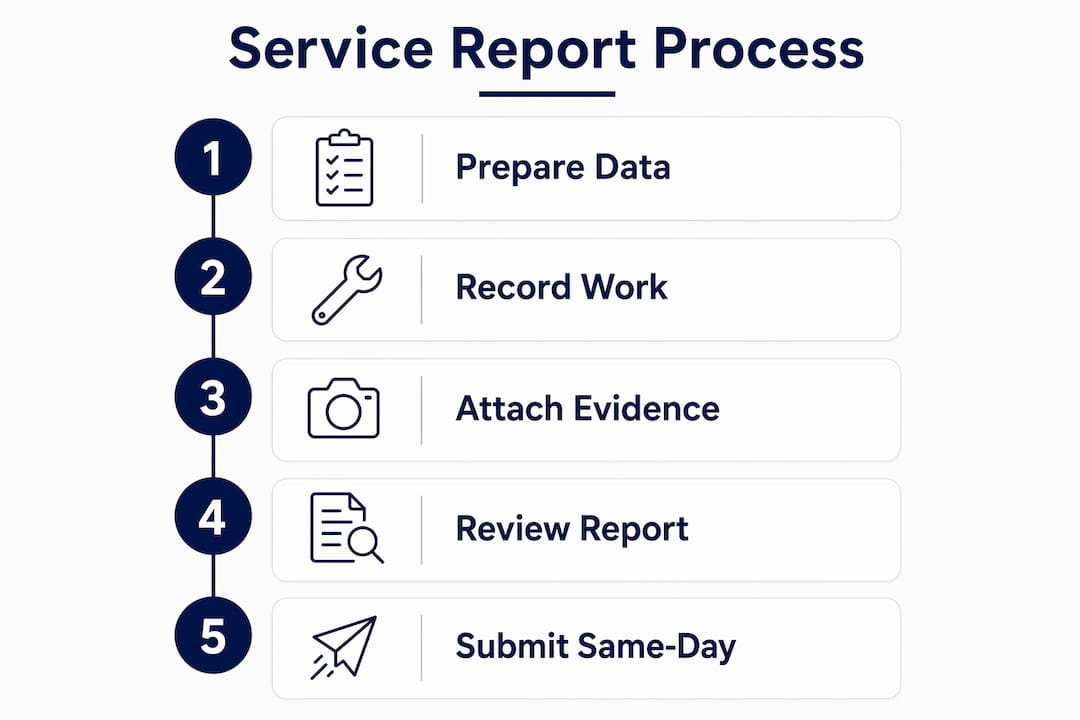
Pro Tip: Set a same-day submission rule for all field service reports. If a technician cannot submit before leaving the site, require submission within two hours of returning to the workshop. This single policy eliminates most reporting gaps.
How do service reports support maintenance planning?
Consistent documentation of root cause and test results over time creates a data trail that enables predictive maintenance rather than reactive repairs. A single service report is a record. A year of service reports for a specific machine model is an asset.
Here is how your team can use that asset systematically:
- Track repeat failures by asset. If the same excavator returns for hydraulic seal failures three times in six months, your reports should surface that pattern. Without consistent documentation, the pattern stays invisible.
- Monitor downtime by customer. Customers with high equipment downtime are candidates for scheduled maintenance contracts. Your service history gives you the data to make that conversation specific and credible.
- Support SLA compliance. Service level agreements often require documented response times and resolution records. Your reports are the proof. Without them, you cannot demonstrate compliance.
- Build transparent invoicing. Showing customers a detailed breakdown of hours, materials, and applied discounts on the service report builds trust and reduces invoice disputes. Customers who understand what they are paying for are far less likely to query an invoice.
- Feed maintenance schedules. Technician observations logged in reports, such as worn belts, low fluid levels, or cracked mounts, can trigger proactive service before a breakdown occurs. This is the shift from reactive to predictive maintenance that reduces total cost of ownership for your customers.
A service report is not just a receipt. It is a vital data asset that enables proactive maintenance and reduces costly reactive repairs. Equipment rental businesses that treat their service documentation as a data source gain a measurable operational advantage over those that treat it as admin.
Key Takeaways
Consistent, detailed service documentation is the single most effective way to protect billing accuracy, support warranty claims, and build a maintenance data asset across your equipment fleet.
| Point | Details |
|---|---|
| Include all 12–14 core fields | Missing fields cause billing delays, warranty rejections, and customer disputes. |
| Capture serial numbers every time | Serial numbers are the only reliable defense against inventory errors and warranty chargebacks. |
| Require customer sign-off on-site | A signed report is a legally binding document that reduces payment disputes. |
| Submit reports the same day | Same-day submission protects data accuracy and accelerates invoice generation. |
| Use reports as a maintenance data source | Patterns in service history enable predictive maintenance and reduce reactive repair costs. |
Why I think most dealerships undervalue their service data
After working with equipment dealerships across Australia, the pattern I see most often is this: service managers invest heavily in technician training and workshop tooling, then let the documentation side run on paper forms and goodwill. The result is a scavenger hunt every time someone needs to pull a service history, verify a warranty claim, or understand why a particular machine keeps coming back.
The shift from paper to digital reporting is not primarily about saving time, though it does that. The real value is in what the data becomes over 12 or 24 months. When every job is documented with a consistent format, specific root causes, and serial numbers, you start to see which machine models are costing your customers the most. You can build maintenance contracts around that data. You can have a credible conversation with a manufacturer about a recurring component failure. You can show a customer exactly why their total cost of ownership is higher than it should be, and then sell them a solution.
Billing speed matters too. The dealerships I have seen move from paper to digital field service reporting consistently report faster invoice cycles. That is not a coincidence. When a technician submits a complete digital report on-site, the invoice can be generated the same day. On paper, that same report might sit in a van for three days before anyone sees it.
My advice to service managers is direct: standardize your format, enforce mandatory fields, and require same-day submission. Those three policies alone will change the quality of your service data within 90 days.
— Anthony
How Moderndms supports service report management for equipment dealers
Moderndms is built specifically for equipment dealerships and rental businesses that need service documentation to work as part of a connected workflow, not as a standalone form.

The workshop service and work order module in Moderndms pre-fills customer, asset, and job data directly into each report, eliminating manual re-entry. Technicians using the field service app can complete reports on-site, attach photos, capture digital signatures, and sync data in real time. That means invoices go out faster and your service history stays accurate. For equipment dealers managing rental fleet service alongside workshop jobs, Moderndms connects service records to asset lifecycles, giving your team a complete view of each machine. Setup takes under an hour, and your data stays yours with no lock-in.
FAQ
What is a service report?
A service report is a formal document that records all details of a service visit, including work performed, parts used, labor hours, and customer sign-off. It serves as the primary record for billing, warranty claims, and maintenance history.
How do I write a service report correctly?
Complete the report in the sequence work was performed, capture specific root cause descriptions, record serial numbers for all replaced parts, and obtain a customer signature before leaving the site. Same-day submission protects data accuracy.
What fields are required in a service report format?
A complete service report format includes customer details, work order reference, equipment serial number, fault description, root cause, work performed, materials used, time tracking, follow-up actions, and customer signature.
Why does the root cause description matter so much?
Vague root cause entries like “fixed” or “repaired” are the leading reason warranty claims get rejected. Specific technical descriptions with component references and test results are required by most manufacturers to process claims successfully.
How do automated service reports improve cash flow?
Digital reports with mandatory fields eliminate the rework caused by incomplete paper documentation. When a technician submits a complete report on-site, the invoice can be generated the same day, reducing billing cycles from days or weeks to hours.