Dropship Purchase Orders: A Practical Guide for Dealers
By MDMS Team · 12 August 2026

Dropship Purchase Orders: A Practical Guide for Dealers
A dropship purchase order (drop ship PO) is a vendor instruction that tells your supplier to ship goods directly to your customer, bypassing your warehouse entirely. No stock receipt. No internal goods movement. The supplier fulfills the order, and your business handles the sales invoice and COGS posting.
The core workflow runs like this:
- Create a confirmed sales order with the customer’s ship-to address.
- Mark the relevant line items as dropship (checkbox, route flag, or fulfillment method, depending on your ERP).
- Generate or confirm the linked PO to the vendor, either automatically or manually.
- Send the PO to the supplier and confirm receipt and expected dispatch date.
- Track shipment back to the sales order and match the supplier invoice to post COGS.
The critical difference from a regular PO: no goods receipt into your warehouse. As Brightpearl’s documentation makes clear, dropship POs use different fulfillment documents and the system never updates internal stock levels. That distinction drives every accounting and configuration decision that follows.
Key Takeaways
Dropship purchase orders require accurate vendor mapping, clean sales order data, and deliberate accounting setup. Getting all three right before automating is what separates reliable fulfillment from recurring errors.
| Point | Details |
|---|---|
| Dropship PO definition | A PO instructing a supplier to ship direct to your customer; no warehouse receipt is created. |
| Vendor configuration first | Enable the vendor dropship flag and map each item to a preferred supplier before automating PO generation. |
| Accounting treatment | Post supplier invoices to COGS (not inventory); recognize revenue on the sales invoice; claim GST input credit on the supplier bill. |
| Australian compliance | GST registration applies at A$75,000 turnover; low-value import rules apply under A$1,000; ACL consumer guarantees apply to every sale. |
| Moderndms fit | Moderndms’s parts and purchasing modules support PO-to-SO linking, per-item supplier mapping, and GST-ready AP reconciliation for Australian equipment dealers. |
Table of Contents
- What ERP and vendor settings do you need before creating dropship POs?
- How do you create the sales order that triggers a dropship PO?
- How does the system create and manage a dropship PO?
- How do you link a sales order to an existing dropship PO?
- How does receiving, shipping, and accounting work differently for dropship POs?
- What does Australian compliance require for dropship operations?
- What tests should you run before going live with dropship workflows?
- Common errors when creating or linking dropship POs
- How should a dealer operations manager prioritize dropship PO workflows?
- Moderndms handles the dropship PO workflow your dealership needs
- Sources
- FAQ
What ERP and vendor settings do you need before creating dropship POs?
Getting the configuration right before your first live order saves hours of troubleshooting. Most dropship PO failures trace back to one of five missing settings.
Vendor dropship flag. Your vendor record must be enabled for dropship output. Oracle’s documentation notes that the system generates dropship POs only when this flag is active. Without it, automated PO generation simply won’t trigger.
Per-item vendor mapping. Each item or SKU must have a preferred supplier assigned. This is the single most important configuration step for automatic PO routing. Zoho Inventory’s dropship workflow auto-populates PO fields from the sales order only when the item has a designated supplier on record. Missing this mapping means your team assigns vendors manually on every order.
Price lists and lead times. Vendor costs and lead times must be present on the item/vendor record. Incorrect or missing lead times lead to delivery promises you cannot keep, which is a direct ACL risk.
Branch and ship-to address records. The customer ship-to address on the sales order must be complete and correctly formatted. The PO inherits this address, so any gap here flows straight to the supplier.
Integration and automation rules. If your system uses webhooks or API endpoints to send POs to suppliers, test those endpoints before going live. A PO that never reaches the supplier is operationally identical to no PO at all.
Pro Tip: Run a configuration audit against these five points before enabling dropship automation for any new supplier or SKU category. A 15-minute checklist now prevents a supplier shipping to the wrong address later.
How do you create the sales order that triggers a dropship PO?
The sales order is the source document for the entire dropship flow. Get it right here, and the rest of the workflow follows. MYOB Enterprise’s drop-shipment guide and Odoo’s dropship setup both confirm this sales-driven procurement pattern.
- Open a new sales order and select the customer. Confirm the customer’s ship-to address is the delivery destination, not your branch address. This address will populate the PO’s Ship-to field.
- Set the branch and required date. Branch determines which cost center and price list apply. Required date drives the supplier’s expected dispatch date on the PO.
- Add line items and set the dropship flag. In most ERPs, this is a checkbox or route selector at the line level (labeled “Dropship,” “Drop Ship,” or “Vendor Direct”). Mark only the lines that the supplier will fulfill directly. Leave remaining lines on standard fulfillment if they ship from your own stock.
- Confirm quantities and customer-facing delivery estimate. Cross-reference the supplier’s lead time before committing a date to the customer. Overstating delivery speed is the leading source of ACL complaints in dropship operations.
- Confirm or submit the sales order. Most systems require the order to reach “Confirmed” status before PO generation is available. Orders still in draft or quote status typically block the dropship flow.
For multi-item orders where only some lines are dropshipped, each dropship line may generate a separate PO per supplier. Verify your ERP’s behavior here before processing a mixed order live.
How does the system create and manage a dropship PO?
PO generation follows one of three modes, and the right choice depends on your order volume and supplier reliability.
| Mode | How it works | Best for |
|---|---|---|
| Automatic | Confirmed sales order triggers PO creation instantly; vendor mapping determines recipient | High-volume, repeatable SKUs with reliable supplier mapping |
| Manual | Admin creates a blank PO, then uses “Get Sales Order” or inserts sales lines | Bespoke, high-value, or complex items needing review before sending |
| Batch | System groups multiple sales orders into one PO per supplier | Suppliers with daily order windows or minimum order requirements |
Automatic generation is the most efficient path for standard parts. Zoho Inventory generates one PO per supplier when a sales order contains items from multiple vendors, keeping supplier communications clean. Odoo’s dropship flow works the same way, creating both a PO and a dropship delivery record linked to the originating sales order.
Manual creation gives your team a review step before the PO reaches the supplier. This matters for high-value equipment parts, items with variable pricing, or suppliers who require custom PO formatting.
Batch POs reduce supplier communication overhead but complicate invoice reconciliation. When one supplier invoice covers multiple sales orders, your AP team needs PO-level line references to match correctly. Ask suppliers to include your PO number on every invoice, even in batch scenarios.
How do you link a sales order to an existing dropship PO?
Relinking is necessary when a supplier changes, a PO was created against the wrong vendor, or a partial shipment requires splitting the original PO. Business Central’s drop shipment workflow demonstrates the standard pattern for linking sales and purchase documents.
- Open the existing dropship PO.
- Use the “Get Sales Order” action (or “Link to Sales Order,” depending on your ERP) to attach the relevant sales order.
- Confirm that line quantities, SKU codes, and unit of measure match between the sales order and PO.
- Verify the ship-to address on the PO reflects the customer’s address, not your branch.
- Save and notify the supplier of any changes, particularly if the ship-to address or quantity has changed.
After relinking, run a data-consistency check: ship-to address, SKU mapping, unit of measure, and any price overrides. A mismatch between the sales order and PO at this stage will cause posting errors when the supplier invoice arrives.
Pro Tip: After any relink, confirm the customer-facing ETA is still accurate. Supplier lead times may differ between vendors, and a relink to a slower supplier without updating the delivery estimate creates an ACL exposure.
How does receiving, shipping, and accounting work differently for dropship POs?
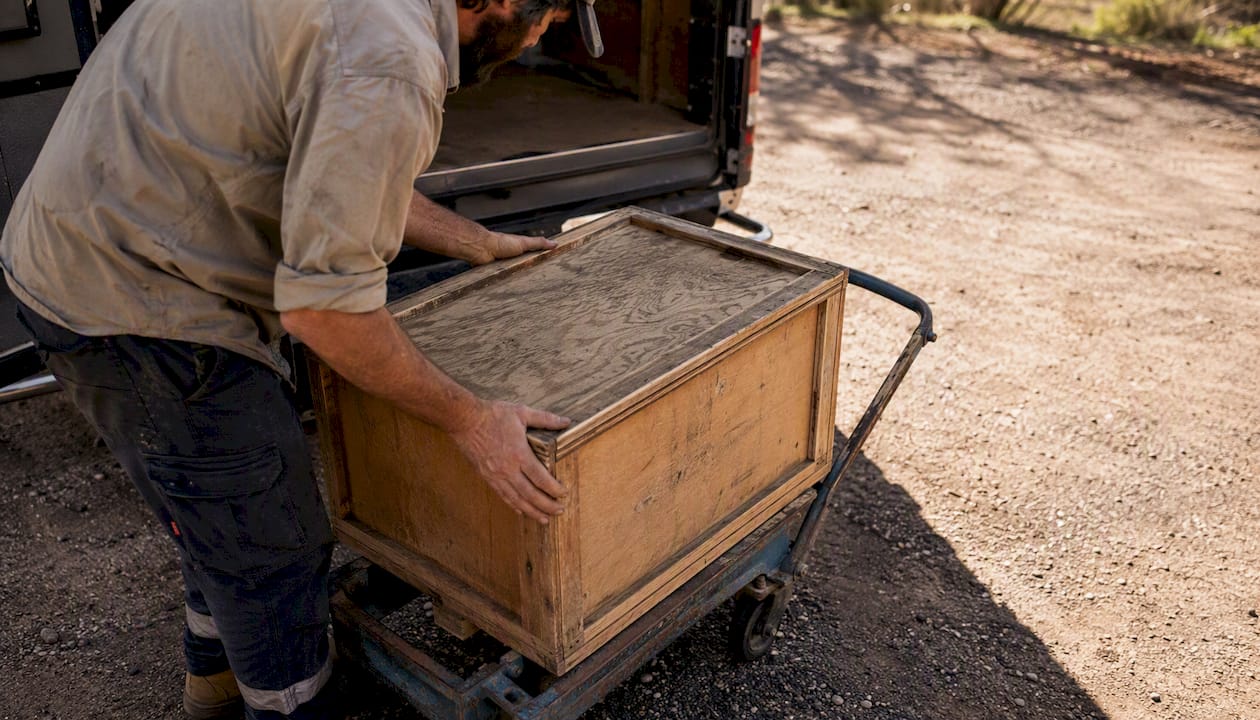
The operational difference is straightforward: the supplier ships directly to your customer, so no goods receipt enters your warehouse. Your inventory tracking system never sees a stock movement for dropshipped items.
The accounting flow, however, requires deliberate setup.
| Step | Dropship PO | Regular PO |
|---|---|---|
| Goods receipt | None (no warehouse entry) | Received into stock; inventory asset increases |
| COGS posting | On supplier invoice match to PO | On sales order shipment from stock |
| Revenue recognition | On sales invoice to customer | On sales order shipment |
| GST input credit | Claimed on supplier invoice | Claimed on supplier invoice |
Australian GST specifics. GST registration is required once your business turnover reaches the registration threshold. For imported goods valued under A$1,000, low-value import GST rules may shift who collects and remits GST, affecting how you display charges at checkout and in your order confirmation. Disclose any duties or import charges clearly before the customer completes payment.
Importer of record. Your supplier contract must specify whether the supplier, your business, a logistics intermediary, or the customer is the importer of record. This determines who pays customs duties and who is liable if goods are held at the border. Leaving this undefined is a common source of unexpected customer charges and disputes.
AP reconciliation. When suppliers batch-invoice multiple orders in a single bill, match each invoice line to its originating PO reference. Automating this matching in your AP module, or requiring suppliers to include PO numbers on invoices, reduces reconciliation time considerably.
Pro Tip: Set up a dedicated COGS account for dropship transactions in your chart of accounts. Separating dropship COGS from warehouse-fulfilled COGS makes margin analysis per channel straightforward and simplifies BAS reporting.
What does Australian compliance require for dropship operations?
Dropshipping is legal in Australia, but the legal obligations sit with the retailer, not the supplier. The Australian Consumer Law (ACL) holds you responsible for consumer guarantees regardless of who physically fulfills the order. You cannot contract out of these guarantees.
The biggest legal risk in dropshipping is not the model itself — it is the gap between what you promise and what your supplier delivers. Sprintlaw’s dropshipping legal checklist identifies mismatched delivery estimates and poor supplier SLAs as the primary source of ACL complaints. Conservative shipping estimates on product pages and explicit supplier agreements are the two most effective controls.
Your supplier agreements should cover:
- Dispatch SLA: Maximum business days from order to dispatch, with escalation rights if breached.
- Tracking and proof of delivery: Supplier must provide a tracking number for every shipment, linked to the sales order.
- Returns and defects: Who handles return shipping, who pays for it, and how credits are issued back to your business.
- Product safety documentation: Certificates of conformity, safety data sheets, and recall support obligations.
- Importer of record and duties: Which party is responsible for customs clearance and duty payment.
- GST and invoice requirements: Supplier invoices must include GST amounts and your ABN for BAS reporting.
- IP and compliance indemnities: Supplier indemnifies your business for product non-compliance or IP infringement.
For regulated product categories — electrical equipment, safety gear, machinery — require sample testing before listing and keep test records. The ACL’s product safety provisions apply to every item you sell, regardless of whether you stock it.
What tests should you run before going live with dropship workflows?
Testing before launch catches configuration gaps that only appear under real order conditions. Run each of these cases in a sandbox or staging environment, and document the expected outcome and the responsible owner for each.
- Single-item dropship: One sales order line, one supplier. Verify PO generates correctly, ship-to address matches customer, supplier receives PO via email or API, and tracking number flows back to the sales order.
- Multi-item, multi-supplier order: Two or more dropship lines from different suppliers. Confirm the system generates one PO per supplier, not a single combined PO. Verify each supplier receives only their items.
- Partial dropship with remainder to stock: Some lines dropshipped, others fulfilled from your warehouse. Confirm the system handles both fulfillment methods on the same order without blocking either.
- Supplier batch invoice matching: Simulate a supplier invoicing three orders in one bill. Verify your AP module can match each invoice line to its PO reference and post COGS correctly.
- Returns-to-supplier flow: Initiate a return on a dropshipped item. Confirm the return authorization reaches the supplier, the credit note posts correctly, and the customer refund or replacement is tracked.
For each test, record what passed, what failed, and what configuration change fixed it. This log becomes your troubleshooting reference for live issues.
Common errors when creating or linking dropship POs
Most dropship workflow failures fall into four categories, each with a clear fix.
-
PO not generated after sales order confirmation. Root cause: vendor dropship flag not enabled, or item has no vendor mapping. Fix: enable the vendor dropship flag on the vendor record, assign the vendor to the item, then re-run PO generation or reconfirm the sales order.
-
Wrong ship-to address on the PO. Root cause: the sales order ship-to was incomplete or defaulted to the branch address. Fix: correct the customer address on the sales order, relink the PO, and confirm the updated address with the supplier before dispatch.
-
Supplier invoice does not match PO lines. Root cause: supplier is batch-billing multiple orders in a single invoice without PO-level line references. Fix: implement PO matching rules in your AP module and require suppliers to include your PO number on every invoice line. If your system supports batch invoice matching, configure it; otherwise negotiate order-level invoicing with the supplier.
-
Customer receives an unexpected customs bill. Root cause: importer of record was not defined in the supplier agreement, so customs defaulted to the consignee (your customer). Fix: update supplier terms to pre-pay duties and taxes, or disclose potential import charges explicitly at checkout and in the order confirmation email.
How should a dealer operations manager prioritize dropship PO workflows?
The instinct in most dealerships is to automate everything as quickly as possible. That instinct is right for high-volume, repeatable parts orders — but it creates real risk when applied uniformly across every SKU and supplier.

The more useful frame is to separate your catalog into two tiers. High-volume, standard parts with reliable supplier mapping are ideal candidates for full automation: confirmed sales order triggers PO, PO routes to supplier, tracking flows back automatically. The efficiency gain is real, and the reconciliation is clean when vendor mapping is accurate.
Bespoke items, high-value equipment, and any supplier without a proven SLA record warrant manual PO creation. The extra review step costs a few minutes per order. It prevents a PO going to the wrong supplier, at the wrong price, with the wrong ship-to address — errors that cost far more to unwind than to prevent.
The compliance dimension deserves equal weight. ACL obligations do not distinguish between automated and manual fulfillment. Your supplier agreements, delivery estimate policies, and returns handling need to be in place before the first live order, not after the first complaint.
Moderndms handles the dropship PO workflow your dealership needs
Equipment dealers managing parts procurement across multiple suppliers know that the gap between a confirmed sales order and a correctly routed drop ship PO is where errors accumulate. Moderndms closes that gap with a parts and warehouse module built specifically for Australian equipment dealerships, covering per-item supplier mapping, PO-to-sales-order linking, and AP reconciliation tools that match supplier invoices to PO lines without a manual scavenger hunt through spreadsheets.

The platform’s GST-ready reporting and exportable audit records support BAS preparation and ACL compliance documentation, so your finance team has what it needs at the end of each quarter. Xero and MYOB integration means supplier bills post to the right accounts without double entry. For dealers evaluating whether their current system handles dropship workflows cleanly, the equipment dealer software page outlines the full module set. Request a demo focused on purchasing and parts workflows to see the dropship PO flow in a live environment.
Sources
The following official documentation and legal resources support the operational and compliance guidance in this article. Consult them for system-specific field names and current legal obligations.
- Drop shipments | Zoho Inventory (AU)
- Dropshipping in Odoo: How It Works, Setup, and Supported Versions
- Processing Orders for Drop-Shipment | MYOB Enterprise Support
FAQ
What is a dropship purchase order?
A dropship purchase order is a PO sent to a supplier instructing them to ship goods directly to your customer, with no goods receipt into your own warehouse. The sales order and PO are linked documents; the supplier invoice posts to COGS rather than inventory.
Is dropshipping legal in Australia?
Yes. Dropshipping is legal in Australia, but retailers remain fully liable under the Australian Consumer Law for consumer guarantees, including acceptable quality, accurate product descriptions, and reasonable delivery timeframes.
What are the four types of purchase orders?
The four standard PO types are standard POs (fixed quantity and price), blanket POs (agreed terms across multiple releases), contract POs (framework agreements without specific quantities), and dropship POs (supplier ships direct to the end customer). Dropship POs differ from the others because no warehouse receipt is created.
How does GST apply to dropship transactions in Australia?
GST registration is required once your business turnover reaches A$75,000. For imported goods valued under A$1,000, low-value import GST rules determine who collects and remits GST, which affects how you display charges at checkout and in order confirmations.
How do you fix a dropship PO that was sent to the wrong supplier?
Cancel or void the incorrect PO, correct the vendor mapping on the item record, and generate a new PO linked to the original sales order. Notify the original supplier immediately to prevent dispatch, and update the customer’s expected delivery date if the supplier change affects lead time.