Field Service Scheduling for Equipment Dealers: 2026 Guide
By MDMS Team · 4 August 2026

Field Service Scheduling for Equipment Dealers: 2026 Guide
TL;DR:
- Effective field service scheduling combines data-driven job durations, zone-based dispatch, and offline-capable mobile apps to improve technician efficiency and customer satisfaction. Implementing these practices can recover 1.5 to 2.5 extra jobs per technician daily, boosting profitability for Australian equipment dealerships. Proper scheduling data flow from job completion to invoicing is essential for maximizing operational and financial benefits.
The most effective field service scheduling approach combines data-driven job durations, zone-based dispatch, and an offline-capable mobile app, so your technicians arrive at the right job, on time, with the right parts. For Australian equipment dealerships managing service calls across metro and remote sites, that combination is what separates a profitable service department from one that bleeds hours to windshield time and rework.
Start here:
- Set job durations at the 80th-percentile of your historical completion times, not a flat one-hour default, to reduce overruns without over-padding the schedule.
- Shift from four-hour arrival windows to two-hour windows where your route density allows, then work toward one-hour windows as zone discipline improves.
- Implement zone-based dispatch so each technician owns a geographic cluster, cutting backtracking and travel time from the first week.
**The bottom line: Dealerships that apply these three practices typically recover enough technician capacity to add 1.5–2.5 extra jobs per tech per day, with the administrative time savings compounding on top.
Table of Contents
- What is field service scheduling, and how does it fit inside FSM?
- What does good scheduling actually do for your service department?
- Which businesses and teams rely on field service scheduling most?
- What features should you check on a scheduling software demo?
- How do you choose the right scheduling system for Australian field teams?
- What does scheduling software cost, and how do you build the ROI case?
- Australian-specific considerations every operations team needs to address
- Tactical scheduling practices that move the needle immediately
- How Moderndms implements field service scheduling for Australian equipment dealerships
- Key Takeaways
- The scheduling gap most dealerships don’t see until it’s expensive
- Moderndms is purpose-built for equipment dealer service operations
- Useful sources
- FAQ
What is field service scheduling, and how does it fit inside FSM?
Field service scheduling is the operational process and software layer responsible for assigning technicians to jobs, sequencing that work across a day or week, and managing arrival windows so customers and techs both know what to expect. It is one component inside the broader discipline of field service management (FSM), which also covers parts and inventory, service contracts, mobile job capture, warranty claims, and invoicing.
The distinction matters for scoping your software purchase. Scheduling handles the who, when, and where of a job. FSM handles everything that happens before and after the technician arrives. A field service management platform connects those layers so data flows without manual re-entry.
A typical job lifecycle illustrates the connection clearly. A service booking is created, either by your team or through a customer portal. The dispatch board assigns a technician based on skills, location, and availability. The tech receives the job on their mobile app, confirms parts are on the truck, and travels to site. On completion, the job card closes, parts are consumed from inventory, and an invoice is generated automatically. Each handoff in that chain depends on scheduling working correctly. When it breaks, the downstream effects show up as billing delays, missed SLAs, and frustrated customers.
What does good scheduling actually do for your service department?
Good scheduling measurably increases technician utilization and first-time fix rates. Those two metrics drive most of the financial case for investing in service management software.
The primary operational benefits break down this way:
- Reduced windshield time. Zone-based dispatch and route optimization cut unproductive travel, which is often the single largest source of wasted technician hours.
- Higher jobs per day. Data-driven scheduling optimization shows typical gains of 1.5–2.5 extra jobs per tech per day when zone-based dispatching and accurate job durations replace flat time blocks.
- Improved SLA adherence. When your dispatch board shows contract windows alongside job priority, coordinators can sequence work to hit commitments rather than discovering a breach after the fact.
- Better customer experience. GPS-based dispatch paired with automated on-the-way notifications reduces no-access events and gives customers a real ETA instead of a four-hour window.
- Faster invoicing. When job close triggers invoice generation automatically, billing cycles shrink from days to hours.
Capacity impact: ANZ trade organizations that consolidated disconnected tools and adopted AI-assisted scheduling reported a measurable improvement in technician response times and first-time fix rates climbing very high for one multi-market operator.
The compounding effect is worth noting. Recovering one hour of windshield time per tech per day across a team of ten technicians adds up to fifty billable hours per week. At a typical dealer labour rate, that is a material revenue recovery, not a marginal efficiency gain.
Which businesses and teams rely on field service scheduling most?
Equipment dealerships sit at the complex end of the scheduling spectrum. A single service day might include a warranty repair at a construction site, a planned maintenance call on a rental machine, and an emergency breakdown for a customer running a tight production window. Each job has different skill requirements, parts needs, and urgency levels.

Other field service verticals that depend heavily on scheduling include HVAC and refrigeration fleets, electrical and plumbing contractors, municipal infrastructure teams, and rental hire companies. But for heavy equipment dealers specifically, the stakes are higher because the machines being serviced are often mission-critical assets for the customer’s business.
Internally, the teams that interact with scheduling daily are:
- Dispatch coordinators, who own the board and manage real-time changes.
- Service managers, who set priorities, manage SLAs, and review utilization reports.
- Parts teams, who need job visibility to stage parts before dispatch.
- Rental managers, who coordinate field prep and return inspections for hire fleet assets.
- Workshop managers, who balance field calls against bench work and technician allocation.
Three common daily problems that scheduling solves in dealerships: a technician arriving at a site without the right part because parts weren’t linked to the job; a second truck rolling to a job because the first tech lacked the certification for that machine type; and a rental machine sitting idle because no one scheduled the pre-delivery inspection in time. Each of those is a scheduling failure, not a technician failure.
What features should you check on a scheduling software demo?
Prioritize dispatch board visibility, skills and certification matching, route and time optimization, and parts linkage. Those four capabilities have the highest direct impact on utilization and first-time fix rates. Everything else builds on them.
Core feature checklist:
- Drag-and-drop dispatch board with real-time technician availability and job status.
- Skills and certification matching so the system flags or blocks assignments where the tech lacks the required qualification for that machine or job type.
- Route optimization with time windows that accounts for travel time, not just distance.
- Offline-capable mobile app that lets technicians complete job cards, capture signatures, and record parts usage without a network connection, then syncs when connectivity returns.
- Parts and inventory visibility linked to job dispatch so you can confirm parts availability before the truck leaves. Linking parts availability to job dispatch directly reduces failed first visits caused by missing components.
- Arrival notifications sent automatically to customers with ETA updates.
- Dynamic re-routing when jobs are added, cancelled, or reprioritized mid-day.
- SLA and contract awareness so the board surfaces jobs approaching their commitment window.
- Accounting integration with Xero or MYOB for automatic invoice generation on job close.
- Analytics and KPIs covering utilization, travel time, first-time fix rate, and SLA compliance.
Pro Tip: Arrival notifications and parts linkage are the two lowest-effort features to activate and the two that produce the most immediate customer satisfaction and first-time fix improvement. If a vendor can’t demonstrate both in a live demo, treat that as a gap.
How do you choose the right scheduling system for Australian field teams?
Choose software that matches your operational scale, supports offline mobile work in low-connectivity environments, and integrates directly into your accounting and parts systems. Those three criteria eliminate most of the wrong options before you get to a demo.
Selection scoring checklist:
- Operational fit: Does the system handle your job types, machine types, and team size without requiring heavy customization?
- Offline and remote capability: Can technicians complete full job cards without a signal, and does the sync resolve conflicts accurately?
- Accounting integration: Does it connect natively to Xero or MYOB, or does it require a third-party connector that adds cost and failure points?
- Parts and inventory linkage: Is parts availability visible at the point of dispatch, or is it a separate lookup?
- Configurability: Can you set custom job types, duration templates, and SLA rules without a developer?
- Support and onboarding: Is there Australian-based support, and what does the onboarding process look like for your team size?
- Total cost of ownership: What is the per-user or per-technician cost, and are module fees transparent upfront?
Questions to run on every demo:
- Show me a technician completing a job card with no network connection, then syncing. What happens to a conflict?
- How does the system enforce SLA windows on the dispatch board?
- How long does it take to set up the field app on a new technician’s device?
- Who owns our data if we cancel the subscription?
- How does the Xero or MYOB integration handle GST on job invoices?
Red flags to walk away from:
- No offline support, or offline mode that only works for viewing, not completing jobs.
- Pricing that isn’t disclosed until after a sales call.
- No Australian GST support built into the invoicing workflow.
- Parts and inventory managed in a separate system with no scheduling integration.
- No real-time dispatch board — only a list view or calendar grid.
What does scheduling software cost, and how do you build the ROI case?
Pricing for scheduling software is typically structured as a per-user or per-technician monthly fee, with optional module costs for advanced routing, offline apps, and parts management. Implementation effort varies by team size and data complexity, but most cloud-native platforms can complete data migration, mobile rollout, and basic training within two to six weeks.
Common pricing structures:
- Per-technician subscription covering the mobile app and basic dispatch.
- Per-user fee for office staff (dispatchers, service managers, parts coordinators).
- Module fees for route optimization, advanced analytics, or accounting integrations.
- One-time or included setup and data migration support.
ROI worked example using industry benchmark inputs:
| Input | Example Value | Source |
|---|---|---|
| Technicians on team | 10 | Illustrative |
| Extra jobs per tech per day (zone + duration optimization) | 1.5–2.5 | Softabase optimization guide |
| Admin hours saved per week (scheduling + invoicing automation) | Up to 10 hrs | Moderndms user claims |
| Reduction in failed first visits (parts linkage) | Measurable | Industry benchmark |
The revenue math is straightforward. If zone-based dispatch and accurate job durations recover 1.5 jobs per tech per day across ten technicians, and each job bills at your standard labour rate, the payback period on a typical SaaS subscription is measured in weeks, not quarters. Admin time savings compound on top: dealers moving from paper-based workflows to connected digital systems see faster job completion and fewer billing delays, which shortens the cash cycle as well.
The fastest ROI levers are windshield time reduction, first-time fix improvement, and invoice automation. Prioritize those three in your business case, and the numbers will support the investment.
Australian-specific considerations every operations team needs to address
Australian operations need offline-capable mobile apps, WHS-compliant workflow enforcement, and Xero or MYOB integration with Single Touch Payroll compatibility. These aren’t optional features for the Australian market; they’re baseline requirements.
Low-connectivity environments. Many equipment service calls happen at mine sites, agricultural properties, construction zones, and basements where mobile signal is unreliable or absent. A field app that requires a live connection to submit a job card is a liability in those environments. Your technicians need to complete the full workflow offline, including capturing signatures, recording parts used, and attaching photos, with the data syncing accurately when they return to coverage.
WHS and Safe Work compliance. Australian work health and safety obligations require documented safe work method statements (SWMS) for high-risk work. Software that enforces SWMS completion as a step in the job workflow, rather than relying on paper forms, reduces compliance exposure and eliminates the administrative rework of chasing paper records after the fact. For Australian teams, mobile-first software with enforced SWMS checks on job completion materially reduces both compliance risk and back-office rework.
Accounting and payroll integration. Xero and MYOB are the dominant accounting platforms for Australian SMEs. Your scheduling and service software should connect natively to both, handling GST-inclusive invoicing, parts costs, and labour charges without manual re-entry. Single Touch Payroll reporting expectations mean your workforce data should flow cleanly from job records to payroll without a separate data export step.
Pro Tip: During your vendor demo, simulate a no-signal job completion. Have the rep take the device offline, complete a full job card including parts and signature, then restore connectivity and show you the sync result. Check whether the job record is complete and whether any conflicts were flagged. That test takes five minutes and tells you more than any feature checklist.
Tactical scheduling practices that move the needle immediately
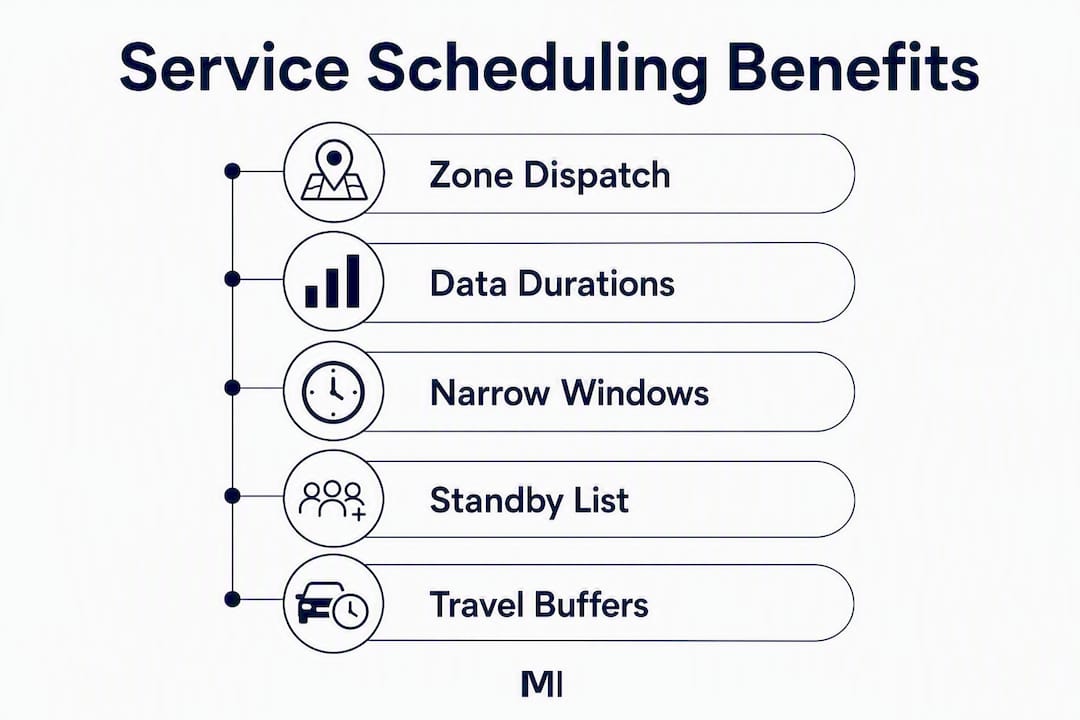
The highest-impact practices are zone-based dispatching, data-driven job durations, narrow arrival windows, and a standby job list. You can implement all four without new software, though software makes them sustainable.
Zone-based dispatching. Divide your service territory into geographic zones and assign each technician a primary zone. Skills-based assignment combined with geographic clustering reduces backtracking and wasted travel from day one. Zones don’t need to be rigid; a technician can cross into an adjacent zone for a priority job, but the default assignment should keep them local.

Data-driven job durations. Default one-hour blocks cause chronic under-allocation. Pull your last 90 days of job completion data, segment by job type, and set durations at the 80th-percentile completion time for each type. That means 80% of jobs of that type will finish within the allocated time, reducing overruns without padding every job with excessive buffer.
Narrow arrival windows. Four-hour windows frustrate customers and create slack in your schedule that fills with unproductive waiting. Work toward two-hour windows as your zone discipline improves; then one-hour windows for high-density routes. Automated ETA notifications close the gap further by keeping customers informed in real time.
Standby job list. Maintain a list of four to five geographically tagged, non-urgent tasks — a minor inspection, a parts drop, a follow-up check — that dispatchers can slot in when a cancellation or early completion creates a gap. This keeps technicians productive without requiring a dispatcher to make five phone calls to find a fill-in job.
Pro Tip: Use dynamic travel buffers that widen during peak traffic hours rather than a static travel estimate. A 20-minute buffer at 9 AM becomes 35 minutes at 5 PM in most metro areas. Static buffers cause cascading delays by mid-afternoon; dynamic buffers absorb the variance before it compounds.
How Moderndms implements field service scheduling for Australian equipment dealerships
Moderndms covers the full scheduling workflow from dispatch board to invoice, with an offline-capable field app built specifically for the connectivity realities of Australian equipment service work.
Feature highlights mapped to the selection criteria above:
- Dispatch board: Real-time visibility of technician availability, job status, and geographic location, with drag-and-drop job assignment.
- Offline mobile sync: Technicians complete job cards, record parts, capture signatures, and attach photos without a network connection. Data syncs on reconnection with conflict resolution.
- Parts and inventory linkage: Parts availability is visible at the point of dispatch. When a job closes, parts are consumed from inventory automatically, and the record updates across the platform.
- Contract and SLA awareness: The dispatch board surfaces jobs approaching SLA windows, and maintenance contract logic ties scheduling to service agreement terms.
- Xero and MYOB integration: Job close triggers invoice generation with GST-compliant line items, eliminating manual re-entry between service and accounting.
- Modular rollout: Teams can activate field service scheduling without committing to a full platform migration on day one. Setup is designed to take under an hour for the core configuration.
The modular approach matters for dealerships that are mid-migration from legacy systems. You can run field service scheduling through Moderndms while other departments transition at their own pace, rather than forcing a big-bang cutover that disrupts the whole business.
For teams evaluating heavy equipment field service software, Moderndms is purpose-built for the Australian dealer context: local compliance, local support, and architecture designed around the way equipment dealerships actually operate.
Key Takeaways
Effective field service scheduling for Australian equipment dealerships requires zone-based dispatch, data-driven job durations, offline mobile capability, and tight integration between scheduling, parts, and accounting.
| Point | Details |
|---|---|
| Use 80th-percentile job durations | Set durations by job type from 90 days of history to cut overruns without over-padding. |
| Zone-based dispatch reduces travel | Assigning technicians to geographic clusters typically yields 1.5–2.5 extra jobs per tech per day. |
| Offline capability is non-negotiable in Australia | Field apps must complete full job cards without signal for remote and low-connectivity sites. |
| Parts linkage prevents failed first visits | Confirming parts availability at dispatch eliminates the most common cause of repeat truck rolls. |
| Moderndms covers the full workflow | Dispatch, offline mobile, parts, SLA tracking, and Xero/MYOB integration in one platform built for Australian dealers. |
The scheduling gap most dealerships don’t see until it’s expensive
The conventional wisdom on field service scheduling focuses on the dispatch board: get the right tech to the right job. That framing is correct but incomplete. The bigger operational gap in most dealerships isn’t the assignment decision; it’s what happens to data after the job closes.
When a technician finishes a job and the record lives in a paper job card or a disconnected mobile app, three things happen simultaneously: the invoice is delayed, the parts inventory isn’t updated, and the equipment service history doesn’t reflect the work. Each of those gaps costs money independently. Together, they create a data debt that compounds every day.
The dealerships that get the most out of scheduling software are the ones that treat it as the trigger for downstream automation, not just a calendar tool. When job close automatically generates the invoice, updates inventory, and logs the work against the machine’s serial number, the dispatcher’s job gets easier, the service manager’s reports get accurate, and the customer gets a faster invoice. That’s the real ROI case, and it’s one that most scheduling-only tools can’t make because they don’t own the downstream workflow.
The practical implication: when you evaluate scheduling software, ask what happens at job close, not just at job assignment. The answer tells you whether you’re buying a scheduling tool or a service operations platform.
Moderndms is purpose-built for equipment dealer service operations
Equipment dealerships managing field service across metro and remote Australian sites need more than a generic scheduling calendar. Moderndms delivers an integrated service operations platform where dispatch, offline mobile job capture, parts availability, SLA tracking, and Xero or MYOB invoicing work as a single connected workflow, not a stack of disconnected tools.

The practical difference: your dispatchers work from a live board that shows technician location, job status, and parts availability in one view. Your technicians complete job cards offline at remote sites and sync when they’re back in range. Your service manager sees SLA compliance and utilization data without pulling a manual report. And when a job closes, the invoice goes out the same day, not three days later when someone gets around to the paperwork.
Setup takes under an hour for core configuration, and the modular rollout means your team can start with field service scheduling and expand into parts, rental, or finance at your own pace, with no lock-in contract forcing the timeline.
If your service department runs on spreadsheets, paper job cards, or a legacy DMS that hasn’t changed since the 1990s, see how Moderndms works for equipment dealers or explore the full feature set to book a demo with the Australian team.
Useful sources
- How ANZ trade organisations get the job done faster with field service tech | Salesforce — Quantified case data on response time improvement and first-time fix rates for ANZ operators after consolidating scheduling tools.
- Field Service Scheduling: Optimization Guide 2026 | Softabase — Detailed playbook covering zone-based dispatch, 80th-percentile duration methodology, standby job lists, and ROI math for field teams.
- How technology helps equipment dealers do more with fewer technicians | Sikich — Practical analysis of how connected digital workflows reduce billing delays and improve job completion speed for equipment dealers.
- Field Service Management Software Benefits for Tradies | Etaprise — Covers GPS dispatch, on-the-way notifications, and customer experience improvements relevant to Australian trade and service businesses.
- Technician Scheduling Best Practices | Service Fusion — Practical dispatch best practices including skills-based matching, geographic clustering, and buffer time management.
- Top Benefits of Using Service Field Management Software in Australia | The Service Manager — Australian-specific overview of FSM software benefits for businesses operating across metro and regional areas.
- Scale Business with Field Service Management Software in 2026 | Kynection — Guide to selecting FSM software for growing Australian field operations, including criteria for 2026 evaluation.
- Service Automations | Real Studios — Partner resource on automating service workflows and how integrated automation supports scheduling efficiency and back-office operations.
FAQ
What is field service scheduling?
Field service scheduling is the process of assigning technicians to jobs, sequencing that work across a day or week, and managing arrival windows. It sits inside the broader field service management (FSM) discipline, which also covers parts, invoicing, contracts, and mobile job capture.
How does field service scheduling differ from broader FSM?
Scheduling handles the assignment and sequencing of work. FSM covers the full job lifecycle, including parts availability, mobile capture, warranty claims, and invoicing. Scheduling is one module within an FSM platform.
What is the best field service software for Australian equipment dealers?
Moderndms is purpose-built for Australian equipment dealerships, covering dispatch, offline mobile job capture, parts linkage, SLA tracking, and Xero or MYOB integration in a single platform with modular rollout and no lock-in contract.
What is a field scheduler?
A field scheduler, or dispatch coordinator, is the person responsible for assigning technicians to jobs, managing the dispatch board, and adjusting the schedule in real time as cancellations, emergencies, and completions occur throughout the day.
How do you improve field service scheduling performance?
The highest-impact steps are implementing zone-based dispatch, setting job durations at the 80th-percentile of historical completion times, linking parts availability to dispatch, and using automated arrival notifications. Together, these practices typically recover 1.5–2.5 additional jobs per technician per day.