Best Workshop Management Software Australia: 2026 Guide
By MDMS Team · 18 July 2026
Best Workshop Management Software Australia: 2026 Guide
Which workshop management software options lead in Australia?
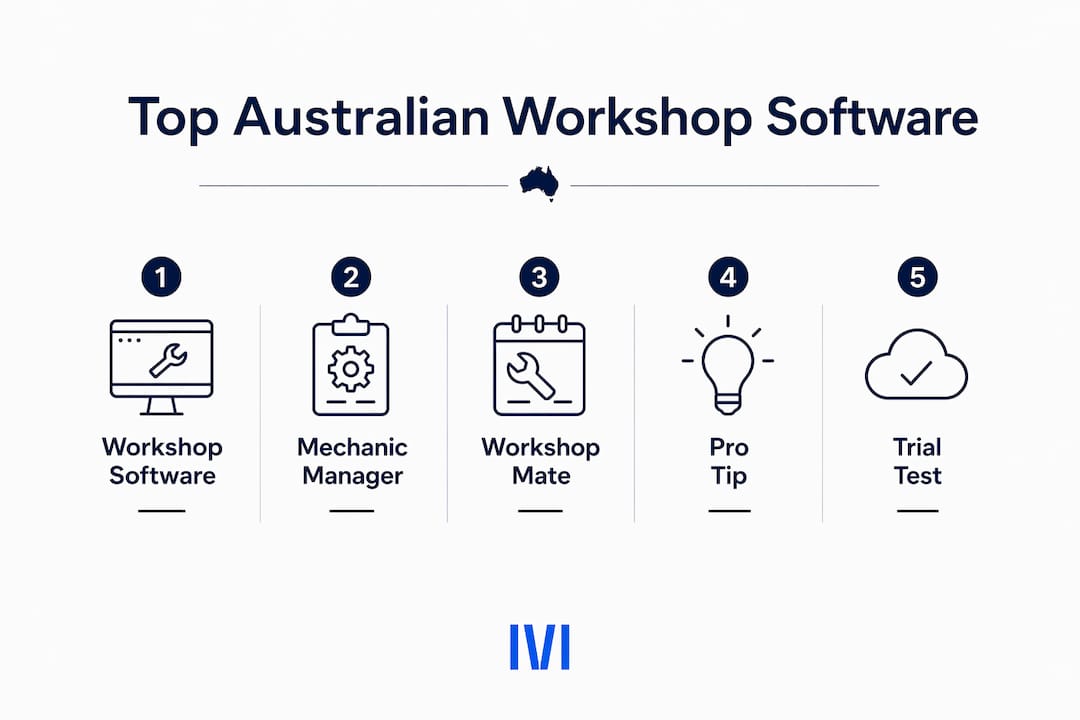
The three platforms that consistently top the shortlist for Australian automotive and mechanical workshops are Workshop Software, Mechanic Manager, and Workshop Mate. Each covers the core workflow: job cards, invoicing, booking diary, parts inventory, and accounting integration with Xero or MYOB. Where they differ is in specialization, supplier connections, and how deeply they handle GST and BAS compliance without pushing that work back onto you.
| Software | Core Features | Accounting Integration | Specialization | Free Trial | Rating |
|---|---|---|---|---|---|
| Workshop Software | Job management, booking, customer management, analytics, mobile app | Xero | Automotive and mechanical workshops, mechanic garages | Yes | 4.1★ (156 reviews) |
| Mechanic Manager | Bookings, job cards, invoicing, inventory, SMS/email reminders, GST reporting | Xero, Repco, Burson | Mechanical, spare parts, auto electrical, automotive | Yes, no setup fee | 5★ (8 reviews) |
| Workshop Mate | Job cards, invoicing, quotes, parts inventory, booking diary, service history, VicRoads integration | Xero, MYOB, Burson EzyParts | Mechanical workshops | Up to 14 days | 4★ (4 reviews) |
All three are Australian products, which matters more than it sounds. A platform built for a different market can print a clean invoice and still leave you manually assembling a BAS every quarter. That is the work these tools exist to remove.

How do the leading Australian repair workshop management systems compare?
Workshop Software is the broadest of the three. Its mobile app and analytics dashboard give workshop owners real-time visibility across jobs, technician time, and revenue. Pricing is not publicly listed, but a free trial is available. The platform suits garages that want a single screen for scheduling, customer history, and business performance without needing to toggle between separate tools.
Mechanic Manager takes a tighter, specialist approach. Built-in GST reporting and direct integrations with Repco and Burson mean parts ordering and financial records stay in one place. There are no setup fees, and the free trial requires no credit card. For spare parts shops and auto electrical workshops, the supplier connectivity alone can cut significant time from the ordering cycle.

Workshop Mate by Jeal is web-based and designed to run from anywhere. Its VicRoads integration and live parts ordering via Burson EzyParts are the standout operational features. According to Workshop Mate, integrating these capabilities typically yields a 10%–15% increase in total workshop efficiency. The 14-day free trial comes with optional hourly training, and there are no lock-in plans.
Key features to compare across all three:
- Automatic customer reminders via SMS and email (all three)
- Service history search and tracking (all three)
- Parts inventory with live supplier ordering (Mechanic Manager via Repco/Burson; Workshop Mate via Burson EzyParts)
- VicRoads and registration lookup (Workshop Mate)
- Business analytics dashboard (Workshop Software)
- Built-in GST reporting without a separate accounting export (Mechanic Manager)
Pro Tip: Before committing to any platform, run a real job through the trial period, including the invoice and the GST figure. If the tool cannot carry that figure cleanly into your BAS without a manual export, it has not solved your compliance problem.
How to choose the best workshop management software for Australian workshops
The single most important filter is GST and BAS compliance. The ATO requires GST registration for businesses with annual turnover above $75,000, and the software you choose must apply GST automatically at 10% on every job, keep that figure digitally from invoice to activity statement, and either lodge through the Standard Business Reporting chain or hand the figures off cleanly to Xero or MYOB. Software that stops at a spreadsheet export has moved the compliance burden onto your desk.
Beyond compliance, evaluate on these criteria:
- Accounting integration: Xero and MYOB are the two dominant platforms in Australian workshops. Native, two-way integration eliminates duplicate data entry and gives you real-time financial visibility without waiting on your accountant.
- Mobile app and cloud access: Cloud-based platforms let your team log jobs, update service history, and send invoices from the workshop floor or a remote site. On-premise systems offer tighter data control but require local IT infrastructure.
- Local support and training: Australian-based support means your team can get help during business hours without navigating offshore time zones. Workshop Mate offers optional hourly training; Workshop Software and Mechanic Manager both provide onboarding resources.
- Scalability: Consider whether the software can handle more bays, more users, or a second location without a full platform change.
- Supplier integrations: If your workshop orders heavily from Repco or Burson, direct integration saves time on every parts order.
What does a successful software migration actually look like?
Most workshop software migrations in Australia complete within 1–2 weeks when data is cleaned beforehand, field mappings are confirmed, and a dedicated staff member owns the process. That timeline assumes you are not running the old and new systems in parallel.
Running both systems at once is the most common and costly mistake in software adoption. It doubles the data entry workload, creates version conflicts, and gives your team a reason to revert to the old workflow. A clean cutover, supported by structured training, produces faster adoption and fewer errors.
Practical steps that determine whether a migration succeeds:
- Audit and clean your existing data before import (remove duplicate customers, outdated job records, and stale inventory)
- Assign one person as the internal migration lead with authority to make decisions
- Configure GST rates, invoice templates, and BAS settings before going live
- Train staff on daily tasks first: logging a job, raising an invoice, sending a reminder
- Go live on a set date and close access to the old system on the same day
Successful implementation in Australia also depends on how well the software adapts to local compliance requirements. A platform that requires manual GST configuration or custom workarounds for BAS reporting adds risk at every quarter-end.
What support and training options do Australian workshop software providers offer?
Support quality varies more than the feature lists suggest. Workshop Software provides online resources and customer support as part of its subscription. Mechanic Manager offers a no-setup-required onboarding process, which reduces the initial friction for smaller workshops. Workshop Mate’s optional hourly training is practical for teams that want hands-on guidance without paying for a fixed onboarding package.
For any platform, look for Australian business hours support, a documented knowledge base, and video tutorials your mechanics can revisit independently. Interactive training, where staff complete real tasks in the system rather than watching a demonstration, produces faster competency. The hidden cost of inefficient software often shows up not in the subscription fee but in the hours lost to workarounds when training was skipped.
How do Australian workshop software providers hold up on reputation?
Workshop Software carries the largest review base of the three, reflecting its broader market presence across Australian automotive workshops. Mechanic Manager and Workshop Mate have smaller but positive review profiles, consistent with their more specialized positioning. Reputation in this category is best read through the specificity of feedback: workshops that praise a platform for handling BAS correctly or for reliable SMS reminders are telling you something concrete about day-to-day performance.
Check for reviews that mention compliance, support response times, and what happened when something went wrong. A vendor that resolves issues quickly and transparently is worth more than one with a perfect score on a thin review base.
What criteria determine whether workshop software can scale with your business?
Scalability in workshop software comes down to three questions: Can you add users without a platform change? Can the system handle a second location or a larger job volume? And can you extend functionality through integrations rather than switching tools?
Cloud-based platforms have a structural advantage here. They update automatically, require no local server maintenance, and typically offer tiered plans that grow with your team. On-premise solutions can offer tighter data control and may suit workshops with specific security requirements, but they carry higher IT overhead and slower update cycles.
Customization matters too. Look for software that lets you configure invoice templates, user access levels, and reminder rules to match your workflow rather than forcing your workflow to match the software’s defaults. The ability to integrate with national suppliers, accounting platforms, and registration databases without custom development is what separates a platform that scales from one that plateaus.
Moderndms is built for equipment dealerships that need more than a workshop tool
If your operation goes beyond a standard mechanical workshop into equipment sales, rental fleet management, or field service, the three platforms above may not cover your full scope. Moderndms is a dealer management system built in Australia for equipment dealerships, covering workshop service and work orders, parts and warehouse management, rental fleet contracts, sales and quoting, warranty recovery, and finance in a single platform.

Moderndms integrates with Xero and MYOB, applies Australian GST compliance across every module, and includes an offline-capable mobile app for field technicians. Setup takes under an hour, and there are no lock-in contracts. For dealerships managing industrial or heavy equipment across trucks, trailers, powersports, or construction machinery, Moderndms covers the full lifecycle from deal sheet to warranty claim, without the spreadsheet scavenger hunt that comes with disconnected systems.
Key Takeaways
Workshop Software, Mechanic Manager, and Workshop Mate are the strongest Australian options for mechanical and automotive workshops, with GST compliance and accounting integration as the deciding factors.
| Point | Details |
|---|---|
| GST compliance is the primary filter | Software must apply GST at 10% automatically and carry the figure into BAS without a manual export. |
| Accounting integration reduces admin errors | Native Xero or MYOB integration eliminates duplicate data entry and improves financial accuracy. |
| Migration succeeds with a clean cutover | Most Australian migrations complete in 1–2 weeks when data is cleaned and parallel system use is avoided. |
| Supplier connectivity adds operational value | Repco and Burson integrations in Mechanic Manager and Workshop Mate reduce parts ordering time. |
| Moderndms suits equipment dealerships | For operations spanning sales, rental, field service, and workshop, Moderndms covers the full dealership workflow with Australian GST compliance built in. |
The real cost of getting this decision wrong
The conventional wisdom in this category is to compare feature lists and pick the longest one. That framing misses the actual risk. A workshop running software that does not handle GST and BAS natively is not just doing extra admin work. It is accumulating compliance exposure every quarter, paying an accountant to reconstruct records that the software should have kept automatically, and absorbing the cost of errors that only surface at BAS time.
The same logic applies to implementation. Workshops that run old and new systems side by side for weeks tend to end up with neither working well. The team splits attention, data gets entered twice, and the old system becomes the default because it feels safer. A firm cutover date, with training completed beforehand, is not just a best practice. It is the difference between adoption and abandonment.
The tools in this guide are all capable platforms. The decision is less about which has the best dashboard and more about which one your team will actually use correctly on day one, and which one keeps your compliance chain intact without you thinking about it.
FAQ
What is the best workshop management software in Australia?
Workshop Software, Mechanic Manager, and Workshop Mate are the leading options for Australian automotive and mechanical workshops, each offering GST-compliant invoicing, accounting integration, and free trials.
Does workshop software handle Australian GST and BAS reporting?
Yes, but verify it in the trial. The ATO requires GST registration for businesses with annual turnover above $75,000, and your software must apply GST at 10% automatically and carry that figure into the activity statement without a manual export.
How long does it take to migrate to new workshop software?
Most Australian workshop migrations complete within 1–2 weeks when data is cleaned in advance, a dedicated staff member leads the process, and the team does not run old and new systems in parallel.
Which workshop software integrates with Xero and MYOB?
Mechanic Manager integrates with Xero; Workshop Mate integrates with both Xero and MYOB. Workshop Software also offers Xero integration. All three reduce duplicate data entry and improve real-time financial reporting.
Is cloud-based or on-premise workshop software better for Australian workshops?
Cloud-based platforms are generally better suited to most Australian workshops because they update automatically, support mobile access, and scale without local IT infrastructure. On-premise solutions suit workshops with specific data security requirements.