MDMS Proven Backorder Management for Australian Dealers: ACL & 4 KPIs
By MDMS Team · 23 September 2026

MDMS Proven Backorder Management for Australian Dealers: ACL & 4 KPIs
Backorder management is the set of processes that let you accept, track, and fulfill orders for items temporarily unavailable, without losing the sale or the customer’s trust. The goal isn’t zero backorders. It’s a reliable ETA, a low cancellation rate, and a measurable KPI trail that shows whether your process is actually working.
TL;DR:
- Accurate supplier lead times and proactive ETA communication are crucial to prevent backorder durations from extending beyond a few weeks.
- Live inventory systems that automatically flag backorders at order entry and sync data across sales, warehouse, and procurement reduce miscommunication and overselling risks.
- Maintaining consistent KPIs such as backorder rate, fill rate, and cancellation rate enables ongoing assessment and improvement of the backorder management process.
- Australian businesses must disclose realistic delivery estimates during checkout to comply with consumer law and avoid customer refunds or disputes.
- Diversifying suppliers and employing predictive analytics on lead-time variability help mitigate demand spikes and supplier delays, reducing the likelihood of backorders.
Table of Contents
- What Backorder Management Means (And What It Isn’t)
- Why Backorders Happen and What They Cost You
- The Day-to-Day Process for Handling a Backordered Order
- Cutting Backorder Frequency Before It Starts
- The Systems That Make This Scale Past Spreadsheets
- The KPIs That Tell You If Your Process Is Working
- What Australian Consumer Law Requires When You Accept a Backorder
- Why Dealer Backorders Aren’t Retail Backorders
- Fixing Backorders Starts With What You Can See
- Sources
- FAQ
What Backorder Management Means (And What It Isn’t)
A backorder happens when a customer places a confirmed order for an item that isn’t currently in stock, with a committed future ship date. That’s different from being simply “out of stock,” where no sale is accepted until inventory returns, and different again from a preorder, where the item hasn’t launched yet and no inventory exists anywhere in the supply chain.
- Backorder: sale accepted now, fulfillment promised later, based on known incoming stock.
- Out of stock: no sale accepted, item paused until replenished.
- Preorder: sale accepted ahead of a product’s first release, with no existing inventory anywhere.
The decision rule is simple: accept a backorder only when you have a supplier commitment or purchase order with a realistic delivery date. If you can’t name a date with reasonable confidence, you’re better off marking the item out of stock than making a promise you might break.
Why Backorders Happen and What They Cost You
Most backorders trace back to four causes: sudden demand spikes that outrun replenishment, supplier delays (freight, production, customs), inventory data that doesn’t match physical stock, and single sourcing that leaves no fallback when a supplier stumbles. Each one hits your operation differently. Demand spikes strain allocation logic. Data errors create phantom stock that sales teams promise and warehouses can’t deliver. Single sourcing turns a minor supplier hiccup into a fulfillment crisis.
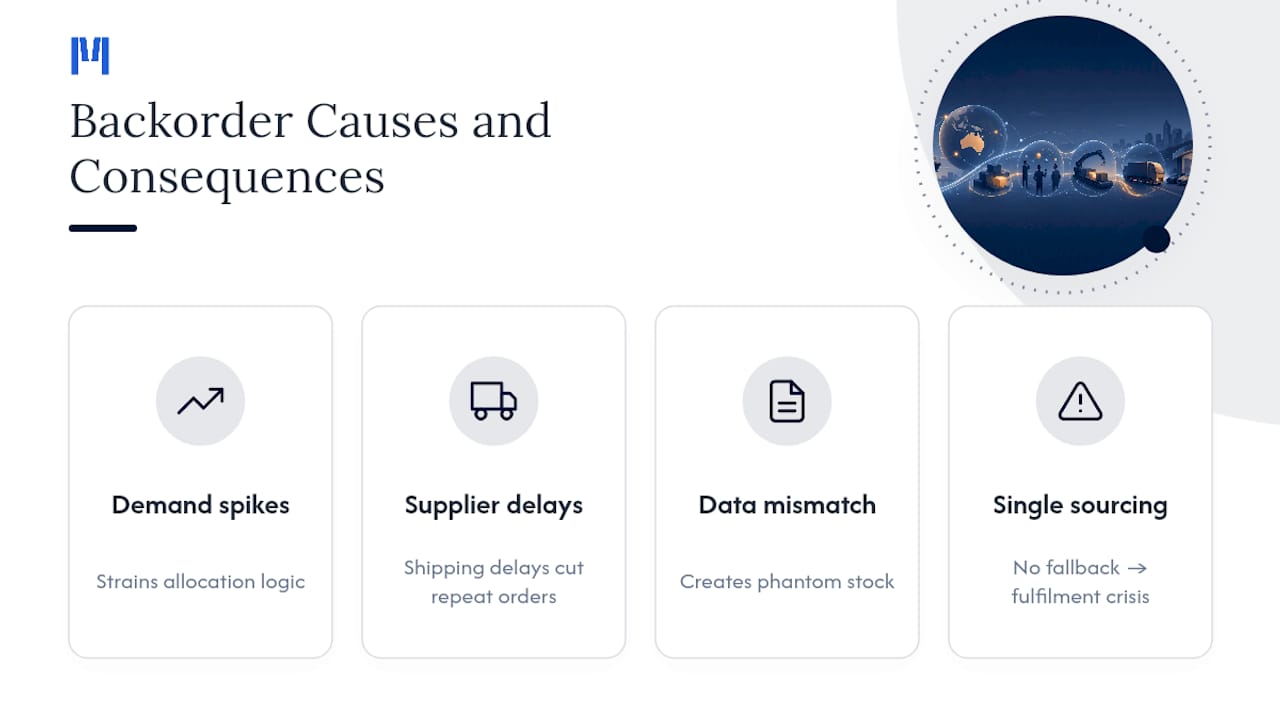
The financial exposure is real and measurable. Research published in Management Science found that shipping delays beyond 10 days materially reduce the odds a customer places a repeat order, with effects that compound over the customer’s lifetime value, not just the single transaction. That’s the quiet cost of backorders: it’s not the order you’re delaying, it’s the next three orders you never get.
The Day-to-Day Process for Handling a Backordered Order
Once an item goes backordered, the process matters more than the apology. Here’s the sequence that keeps orders moving and customers informed:
- Flag it at order entry. The moment inventory drops below the committed quantity, the order should auto-flag as backordered rather than surface as a surprise during picking.
- Set allocation rules before you need them. When replenishment arrives, allocate by order date or customer priority tier, not whoever’s invoice lands on top of the pile. NetSuite recommends auto-allocation logic that converts backorders to sales orders, processes payment, and ships in a defined sequence, rather than leaving it to manual judgment calls.
- Notify the customer immediately, then again on a cadence. One notice at order time, one at any ETA change, and one at ship confirmation is the minimum. Silence between those points is what drives cancellations.
- Choose your fulfillment path deliberately. Split-ship the in-stock lines now, ship-as-available for single-line orders, or offer cancel/refund when the ETA slips past what the customer originally agreed to.
- Assign clear ownership. Sales owns the customer conversation, warehouse owns allocation accuracy, and procurement owns the supplier timeline. Handoffs between them need a shared record, not a phone call nobody documents.
Pro Tip: Build your ETA notification into the order confirmation email itself, not a separate follow-up. Customers who see a date upfront cancel far less often than customers who find out later that a date exists.
Cutting Backorder Frequency Before It Starts
Prevention beats process every time, and it starts with better forecasting. Demand forecasting paired with dynamic safety-stock rules, rather than a fixed reorder quantity, catches seasonal spikes before they turn into stockouts. Predictive analytics applied to supplier lead-time variability can shift a business from reacting to backorders after they happen to positioning inventory ahead of the risk, which is the real difference between a mature operation and one that’s always catching up.
A few practical levers worth building into your ordering policy:
- Set reorder points based on actual lead-time variability, not the supplier’s best-case promise.
- Review safety stock quarterly for fast movers, not annually for everything.
- Diversify suppliers for your highest-velocity parts so one delay doesn’t stall the whole line.
- Use contingency contracting, pre-negotiated alternate sourcing agreements with lead-time SLAs, so you can pivot fast without carrying excess stock everywhere.
Australia’s own supply chain resilience guidance points to this same approach, and a real-world case backs it up: during the Whyalla Steelworks disruption, InfraBuild’s contingency measures held the supply impact to a limited duration rather than an open-ended outage. Sometimes taking the sale on backorder is the right call. Other times, if your ETA confidence is low, marking the item out of stock protects your relationship with the customer more than the sale protects your revenue that quarter.
The Systems That Make This Scale Past Spreadsheets
Manual backorder tracking works until it doesn’t, usually right around the point where your parts catalog outgrows a spreadsheet. The systems worth having are an inventory or warehouse management platform, an order management system, an ERP, and a CRM that all talk to each other, rather than four separate tools with four separate versions of the truth.
The integration pattern that actually prevents overselling is live inventory data flowing straight to your sales team, not a nightly batch update. Surfacing real stock and lead-time information directly to salespeople and field reps stops them from promising dates the warehouse can’t hit. Automated reorder triggers, supplier API connections, and system-generated ETA alerts should run without a human touching them. What still needs a person: judgment calls on allocation priority, exception handling when a supplier misses their own SLA, and the actual tone of a customer conversation.
- Inventory/WMS with live stock visibility across every location.
- Order management that auto-flags backorders at entry.
- ERP and CRM integration so sales, warehouse, and finance share one record.
- Supplier API connections for real-time lead-time updates.
Pro Tip: If your team spends more time reconciling stock counts across systems than acting on backorder alerts, the tooling is the bottleneck, not the process. A purpose-built parts and inventory platform that’s live within an hour removes that reconciliation step entirely, which is exactly the kind of modular rollout dealerships need when they can’t afford a six-month implementation just to fix one workflow.
The KPIs That Tell You If Your Process Is Working
Backorder rate, fill rate, days to fulfill, and cancellation rate are the four numbers that actually tell you whether your process is improving or quietly getting worse.
| Metric | Formula | What it tells you |
|---|---|---|
| Backorder rate | Backordered line items ÷ total line items | How often demand outpaces available stock |
| Fill rate | Orders shipped complete ÷ total orders | How often customers get everything at once |
| Days to fulfill | Ship date minus order date, averaged | Whether your ETAs are realistic or optimistic |
| Cancellation rate | Backorders canceled ÷ backorders placed | Whether communication is holding customer patience |
Review these weekly for fast-moving parts categories and monthly at the business level. Set improvement targets against your own trailing average rather than an industry benchmark, since backorder tolerance varies wildly by product category. A rising cancellation rate paired with a stable fill rate usually means your ETAs are accurate but your communication cadence is too thin. Standardizing these reviews, along with cross-training staff to read them, is one of the more reliable ways operators reduce repeat backorder problems, according to practitioner-level guidance on backorder operations.
What Australian Consumer Law Requires When You Accept a Backorder
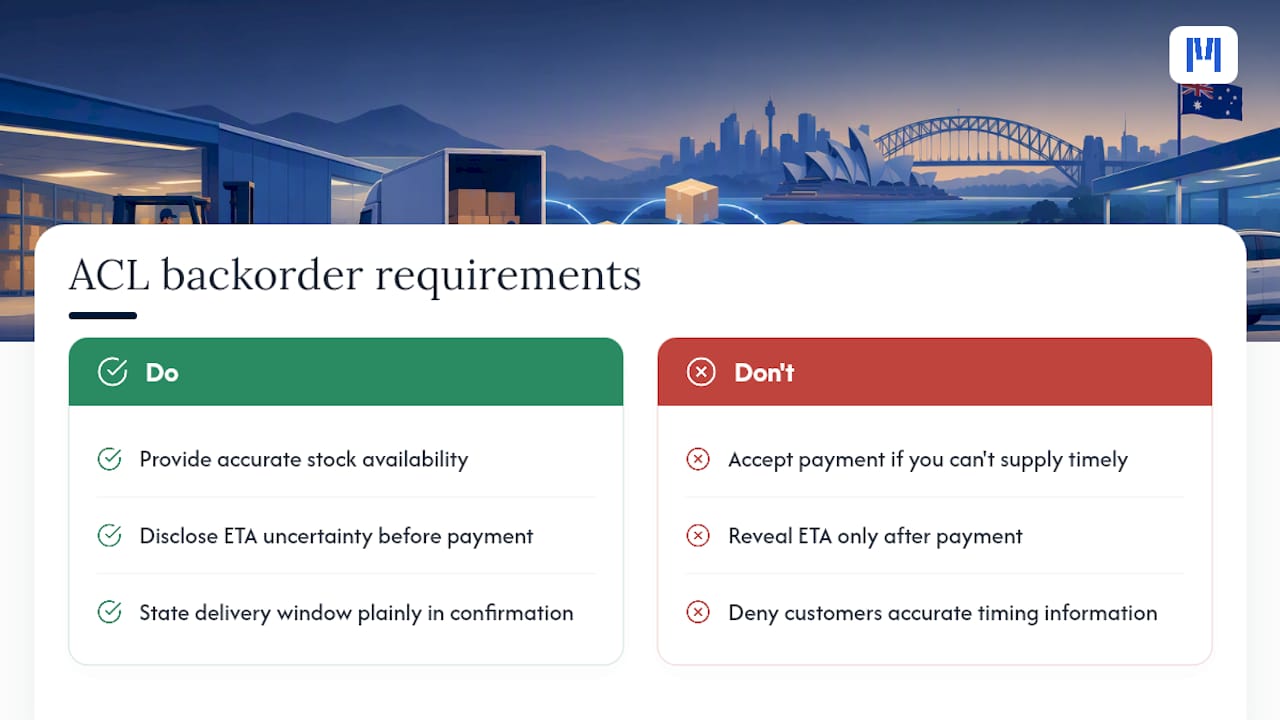
Under the Australian Consumer Law, businesses must give accurate information about stock availability and expected delivery timing. If you know, or reasonably should know, that you can’t supply within a reasonable time, you shouldn’t accept payment for that order. Practically, that means your checkout flow needs to disclose ETA uncertainty before payment, not after, and your order confirmation should state the delivery window plainly. Customers denied accurate timing information may be entitled to a refund or replacement.
Why Dealer Backorders Aren’t Retail Backorders
Parts, service, and rental backorders behave differently than retail. A missing part stalls a repair bay and a rental return, not just a shipment. Modular rollout matters here: you fix the parts workflow first, then expand, rather than replacing everything at once. If you haven’t audited your current backorder KPIs this quarter, that’s the place to start.
— ModernDMS
Fixing Backorders Starts With What You Can See
Most backorder problems aren’t a supplier problem first. They’re a visibility problem: sales can’t see what warehouse sees, warehouse can’t see what’s coming from procurement, and nobody’s tracking fill rate until a customer complains. A dealer management system built specifically for equipment dealers can include parts and inventory workflows that surface live stock to your sales team and flag backorders promptly, rather than after a customer inquiry.

The Parts & Inventory Management module runs alongside your replenishment and CRM data from day one, since MDMS rolls out module by module rather than forcing a full-system cutover. Setup is designed to be quick, and users maintain ownership of their data without vendor lock-in, allowing flexibility if needs change later. If you’re managing parts backorders on spreadsheets or a system that wasn’t built for dealership workflows, check current pricing and plans and see which module fixes your biggest gap first.
Sources
Key sources: ACCC on refunds and delivery obligations, MHW on backorder expectation management, and NetSuite’s backorder fulfillment guide. For implementation detail, see inventory tracking for Australian businesses.
- ACCC — Problem with a product or service you sold: repair, replace, refund, cancel
- Backorder management is more than just keeping parts flowing — MHW
- Predictive analytics for supply chain lead-time variability — Springer
- NetSuite — Backorder: Definition, How to Manage and vs Out of Stock
FAQ
How long do backorders usually last?
Backorder duration depends entirely on supplier lead time and cause, ranging from a few days for a fast restock to several weeks for a supplier production delay. The only reliable answer comes from your supplier’s confirmed lead time, not an industry average, which is why proactive ETA communication matters more than a fixed timeframe.
What does it mean when an item is on backorder?
It means the seller has accepted your order and payment but doesn’t currently have the item in stock, with a committed future ship date based on incoming supply. This differs from “out of stock,” where no order is accepted until inventory returns.
What is the backorder model in inventory management?
The backorder model treats a stockout as a delayed fulfillment rather than a lost sale, letting a business commit to a future ship date instead of canceling the order outright. It relies on accurate supplier lead-time data to keep the promised ETA realistic, which is why live inventory integration between sales and warehouse systems matters so much.
What’s the difference between backlog and backorder?
A backlog is the full volume of unfulfilled work or orders sitting in your system, while a backorder is a specific type of backlog item tied to a customer order awaiting stock. Every backorder is part of your backlog, but not every backlog item is a backorder.
Does MDMS help with backorder tracking?
Moderndms includes Parts and inventory modules built to flag backorders at order entry and surface live stock data to sales and warehouse teams. Pricing starts at 59 AUD per month per module, with modular rollout so you can start with the workflow that needs fixing first.